LG Multi V Error Codes: A Field Guide for NYC Building Engineers
April 14, 2026
VRF Refrigerant Leaks: How to Spot Them Before They Cost You
April 17, 2026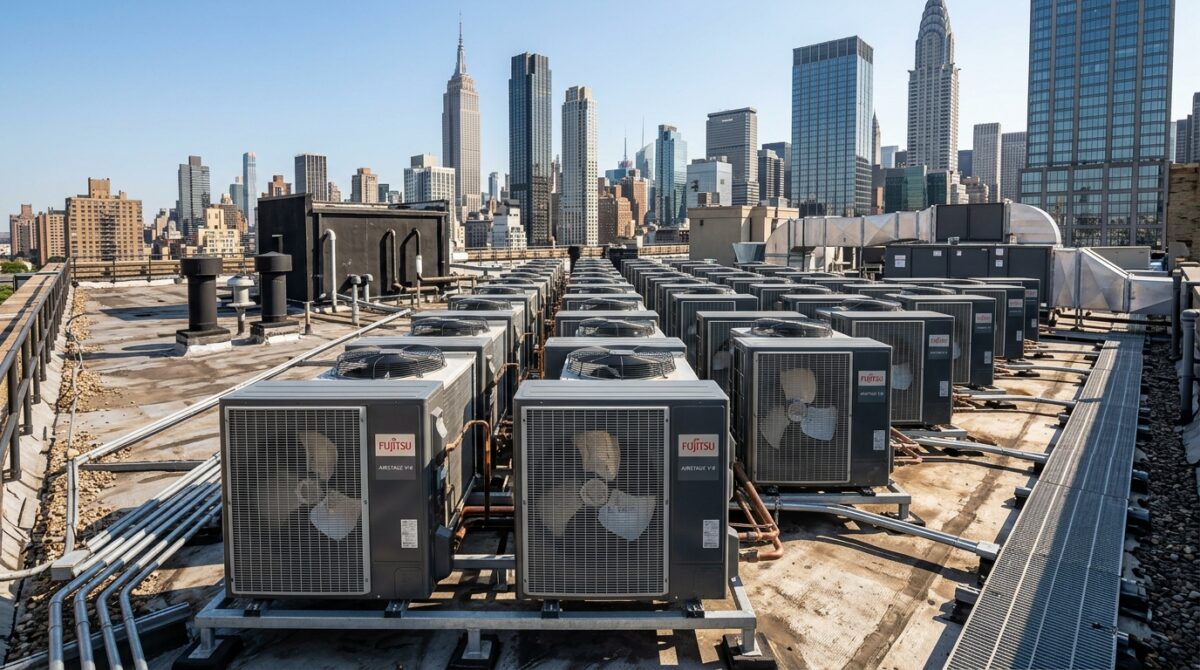
Fujitsu Airstage VRF systems are less common in the NYC market than Daikin, Mitsubishi, or LG, but they show up often enough in mid-rise office conversions, boutique hotels, and mid-market multifamily that every building engineer should know how to read the codes. When a tenant calls at 7 a.m. because a zone is blowing warm air, the fastest path to a fix starts at the controller display, not the roof.
This guide covers the most common Fujitsu Airstage V-Series and VR-II error codes, what they usually indicate in the field, and which ones a building engineer can reasonably triage before escalating to a controls contractor.
How Fujitsu Airstage displays error codes
Airstage outdoor units display codes through a two-digit LED readout on the outdoor unit PCB, visible through the service port on the front panel. Indoor units and the UTY-series central controllers display codes differently: a letter-number combination such as E:EE, 11:01, or 14:02. The code format depends on which controller is reporting, so verifying where the code originates is step one.
On the UTY-RNRY and UTY-DTGY touch controllers common in NYC office fitouts, codes appear with a timestamp and the affected indoor unit address. This matters because a single error code can cascade across a system of 30 indoor units, and the first one to trip is usually the actual fault.
Communication and address errors
The communication family of errors is what we see most often on older Fujitsu installs in Manhattan, particularly systems that were commissioned between 2013 and 2017 and have been modified over time by tenant buildouts.
Error 11:01 indicates a communication error between the indoor unit and the remote controller. In most cases this traces back to a loose terminal at the indoor unit PCB or a damaged two-wire control cable that got compromised during ceiling work. Verify polarity on the X1 and X2 terminals before assuming a PCB failure.
Error 12:01 is an indoor-to-outdoor communication error. On a branching controller system this often means the RB unit or secondary branch box has lost power or its address DIP switches were changed during a recent service visit. Before replacing any boards, confirm the network address matches the commissioning sheet.
Error 16:01 is a duplicate address error. If a field tech added an indoor unit to an existing zone without rotating the address wheel, two units will be reporting as the same address and the system will lock both out. This is a five-minute fix if the commissioning documentation is available and a much longer fix if it is not.
Sensor errors
Sensor codes are the second most common family and generally point to a specific component rather than a systemic issue.
Error 14:02 is the discharge pipe temperature sensor. When this sensor fails or its harness gets pinched, the unit will lock out to protect the compressor. Replacement is straightforward if the part is on the truck. These sensors also fail in groups on units that have been through repeated freeze-thaw cycles on exposed rooftops, so check the other sensors on the same harness before closing the ticket.
Error 14:03 is the heat exchanger temperature sensor at the outdoor unit. A failed sensor here will prevent the unit from running defrost cycles correctly through the winter, so a code that shows up in November should not be cleared and forgotten.
Error 15:01 is an indoor unit room temperature sensor fault. This is the easiest code to misdiagnose because a stuck sensor will report a plausible temperature, just not the right one. If occupants are complaining about a zone that the controller insists is at setpoint, pull the sensor and verify with a digital thermometer.
Pressure and refrigerant errors
This family is where building engineers should draw the line and call for qualified service.
Error 22:01 is a high pressure lockout. On NYC rooftops this most often traces back to a blocked or dirty outdoor coil, a failed outdoor fan motor, or a refrigerant overcharge from a prior service visit. All three require gauges and recovery equipment to diagnose safely.
Error 23:01 is a low pressure lockout, which almost always means refrigerant loss. A slow leak on a 20-ton Airstage system can take six months to trigger this code, but once it does the system will not run until the leak is found, repaired, and the charge verified.
Error 25:01 is a compressor discharge temperature trip. This one is urgent. Continued operation with this code active will cook the compressor, and compressor replacement on an older Airstage unit often costs more than planning a staged VRF replacement. If this code is showing, shut the system down and call.
Fan and EEV errors
Error 51:01 is an outdoor fan motor fault. On Manhattan rooftops this is frequently the result of debris getting past the coil guard or bearing failure on units that have seen ten-plus summers. Fan replacement is a routine service call and usually does not require refrigerant work.
Error 53:01 is an electronic expansion valve fault at an indoor unit. These valves rarely fail cleanly. More often the harness has been damaged above a ceiling tile by another trade, or the coil has stuck from sitting idle during a long vacancy. Pulse the valve through the service tool before condemning the component.
When aging systems start stacking codes
Across the five boroughs, a meaningful share of VRF systems installed during the 2012 to 2016 wave are now passing the ten-year mark. We are seeing a pattern where Airstage units start throwing communication errors first, sensor errors second, and pressure errors last, often within a 12 to 18 month window. Treating each code as a one-off repair is expensive. Treating the pattern as a signal to plan for major component replacement or staged system upgrade is where the savings are.
If a building is seeing three or more distinct error codes across the same system in a single quarter, that is the point to request a full system assessment rather than another service visit.
A practical reference for your service log
Keep a printed code reference in the mechanical room next to the panel schedule. Write the unit model and commissioning date on the cover. When a code shows up at 2 a.m., the on-call engineer should not be searching PDFs on a phone.
Mountain Mechanical services Fujitsu Airstage systems across Manhattan, Brooklyn, Queens, and the Bronx. If your building is seeing repeat codes, aging components, or a system approaching the end of its reliable service life, we can assess the fleet and build a prioritized plan for repair versus replacement.